
Connect Fabric as an MCP server
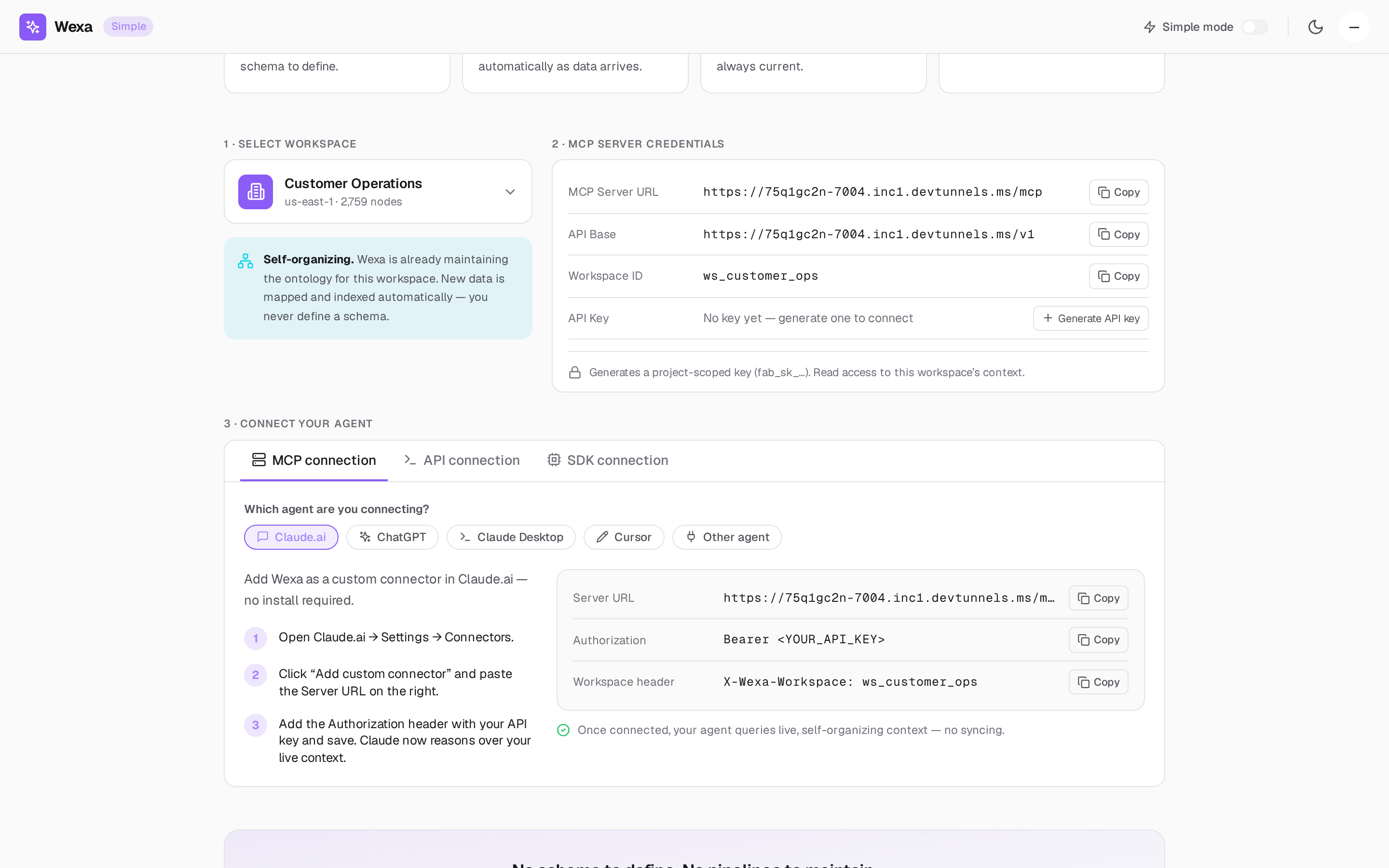
Fabric is a remote MCP server. Any MCP-capable agent — Claude.ai, Claude Desktop, Cursor, ChatGPT, an IDE assistant, a CI job, or your own code — connects to Fabric and gains governed access to your enterprise context graph. The agent calls Fabric’s tools; Fabric grounds the answer in your real data and records every call.
This is the most common way to integrate with Fabric, and the focus of this section.
How it works
Section titled “How it works”- You generate a project-scoped API key (
fab_sk_…) or authorize via OAuth 2.1. - You point your MCP client at the Fabric MCP Server URL and pass your key and workspace ID as headers.
- Your agent discovers Fabric’s tools (
query-context,create-ontology,save-context,docs) and calls them like any other MCP tools. - Every call runs Fabric’s governed pipeline — scope-pinned, validated, policy-checked,
executed, redacted, and audited — and returns a
lifecycle_id.
The context graph itself is never exposed. Your queries are pinned to your project, read-only by default, and bounded — so an agent can never read another tenant’s data.
Transports
Section titled “Transports”Fabric supports both MCP transports, so it works with hosted clients and local clients alike:
| Transport | Endpoint | Use it for |
|---|---|---|
| Streamable HTTP | POST /mcp |
Modern MCP clients (the default) |
| SSE (compatibility) | GET /sse + POST /messages?session=… |
Clients that connect over Server-Sent Events |
Your console shows the exact URL for your deployment (for example
https://mcp.wexa.ai/v1/sse). Use that value.
Pick your client
Section titled “Pick your client”| Client | Guide |
|---|---|
| Claude.ai (custom connector) and Claude Desktop (config file) | Claude |
| Cursor | Cursor |
| ChatGPT (Developer mode) | ChatGPT |
| Any other MCP client | Other MCP clients |
Before you start
Section titled “Before you start”- Get MCP credentials — generate your key and find your URLs and workspace ID.
- The Fabric MCP tools — what your agent will be able to call.
- Authentication & scopes — API keys vs OAuth 2.1, and how scope is enforced.
- Simple vs Advanced mode — which tools are available and whether writes are allowed.