
Get MCP credentials
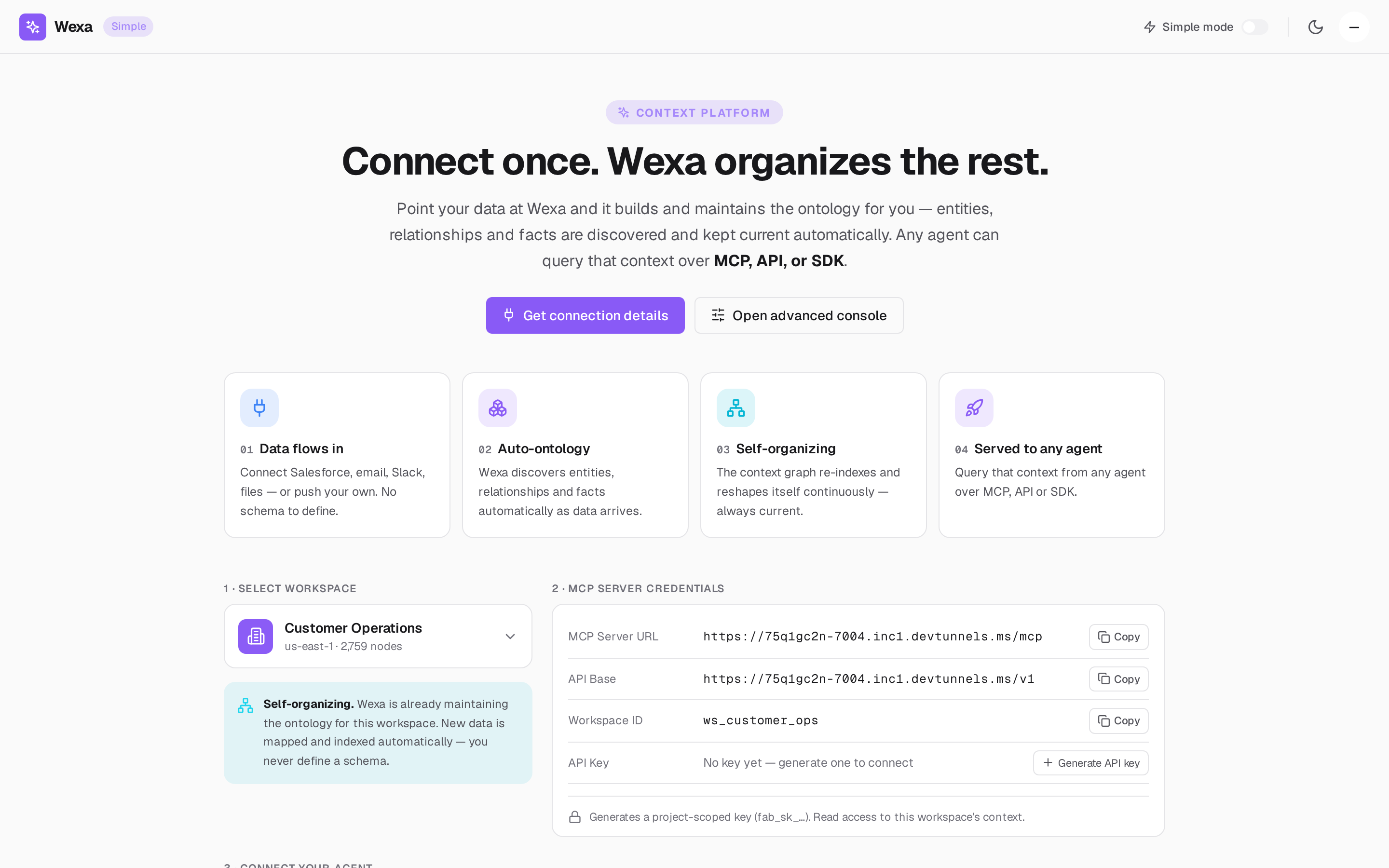
To connect any MCP client you need three things: the MCP Server URL, your workspace ID, and a credential (an API key or an OAuth 2.1 authorization). All of them come from Simple Mode in the console.
1. Choose a credential type
Section titled “1. Choose a credential type”| Credential | Best for | How the agent sends it |
|---|---|---|
API key (fab_sk_…) |
Headless agents, CI, scripts, config-file clients | Authorization: Bearer fab_sk_… |
| OAuth 2.1 | Interactive clients that support remote MCP auth (e.g. Claude.ai) | Discovered automatically; consent pins org → dept → project |
Most config-file clients (Claude Desktop, Cursor) use an API key. Hosted clients that support remote MCP auth (Claude.ai, ChatGPT) can use OAuth 2.1, where discovery and consent happen automatically. See Authentication & scopes.
2. Select your workspace
Section titled “2. Select your workspace”In Simple Mode, pick the workspace your agent should reason over. Its ID
(ws_<your_project>) is the scope your credential is pinned to.
3. Generate an API key
Section titled “3. Generate an API key”Click Generate API key. Fabric mints a project-scoped fab_sk_… key with read access
to that workspace’s context.
4. Collect your coordinates
Section titled “4. Collect your coordinates”You now have everything to connect:
| Field | Example | Where it comes from |
|---|---|---|
| MCP Server URL | https://mcp.wexa.ai/v1/sse |
GET /v1/connection-info |
| Workspace ID | ws_<your_project> |
Workspace selector |
| Workspace header | X-Wexa-Workspace |
GET /v1/connection-info |
| API Key | fab_sk_… |
Generated above |
Keep these handy — the per-client guides (Claude, Cursor, ChatGPT, Other) all use the same four values.