
Create an agent
Agents are built through a guided 3-step wizard in Orchestrate → Agents. Every agent — and every invocation — passes the same policy, approval, audit, and lineage plane.
Before you start
Section titled “Before you start”You need at least one AI model registered for your organization. If none exists, the wizard shows: “No AI models registered for this org. Add one in Connect → AI Models before creating an agent.” See Connect a model first.
Open the wizard
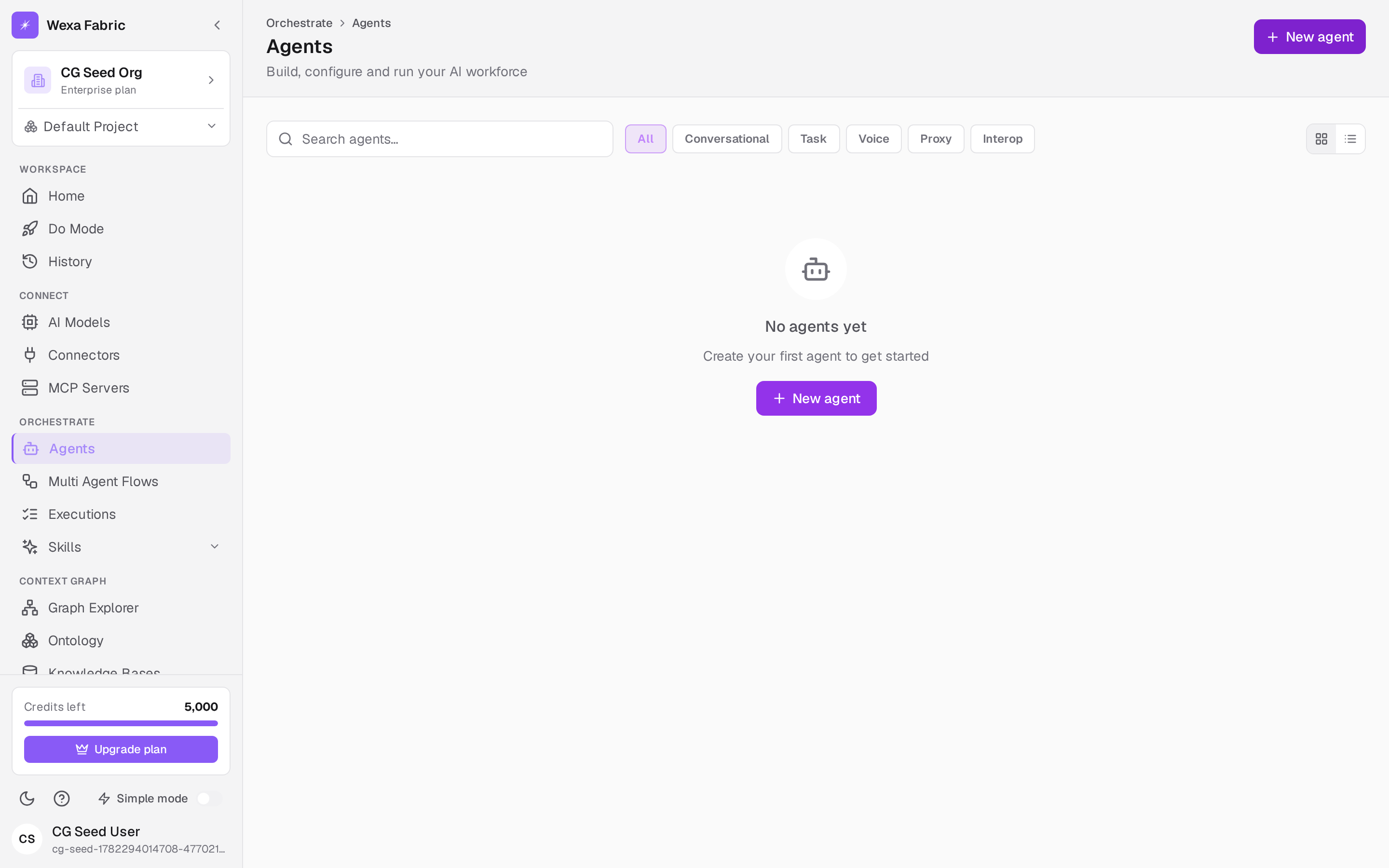
Section titled “Open the wizard”- Go to Orchestrate → Agents. The page header reads “Agents — Build, configure and run your AI workforce.”
- Click New agent (top-right). The create wizard opens.
Step 1 — Choose a type
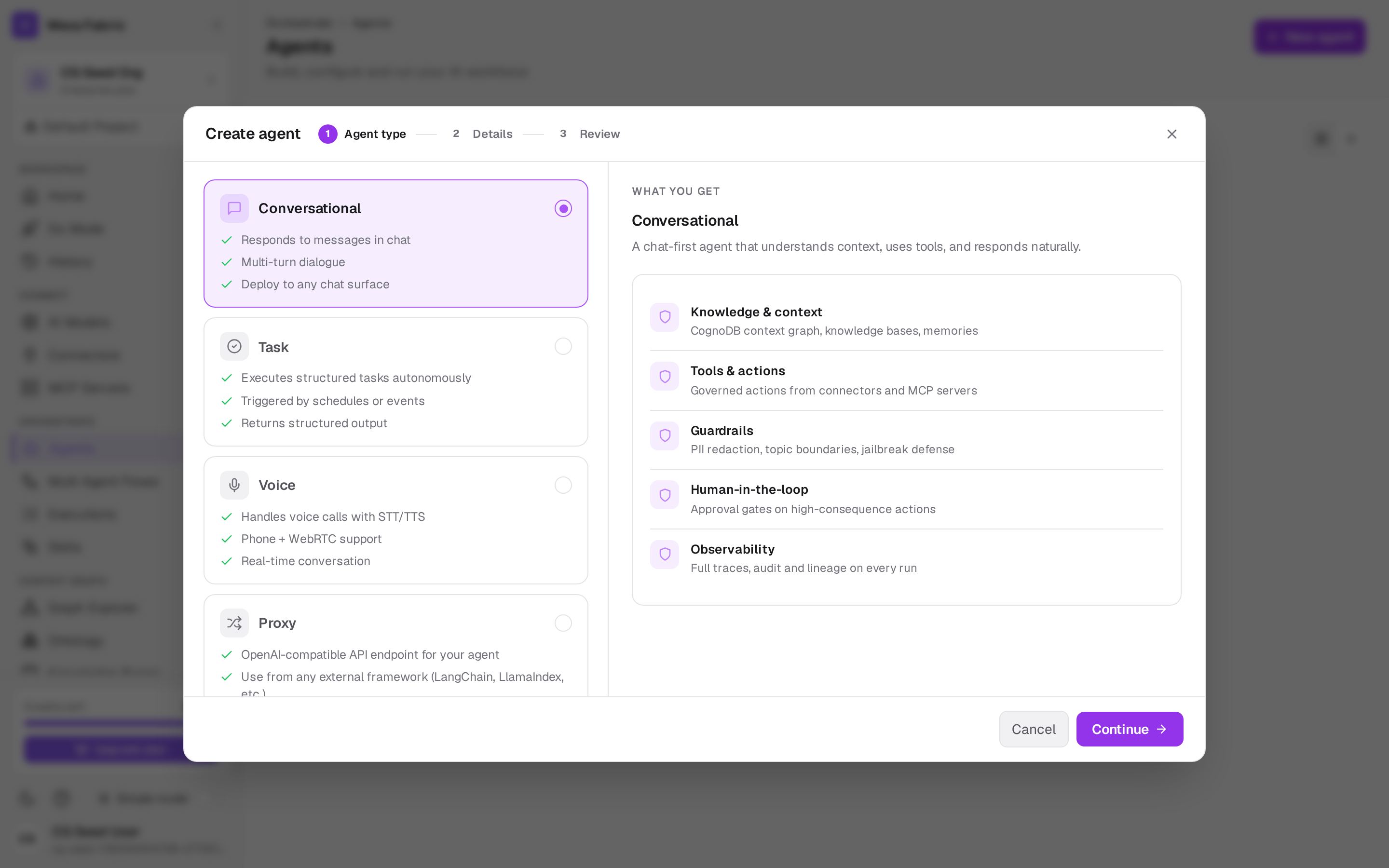
Section titled “Step 1 — Choose a type”Pick the kind of agent you’re building:
| Type | Use it for |
|---|---|
| Conversational | Chat-style agents that reason and answer over your context. |
| Task | Goal-driven agents that execute a job end to end. |
| Voice | Voice-driven interactions. |
| Proxy | Fronts an external endpoint as a governed agent. |
| Interop | Federates to an external agent platform over MCP / A2A with a capability-discovery handshake. |
Each type shows a short description and bullet points to help you choose.
Step 2 — Details
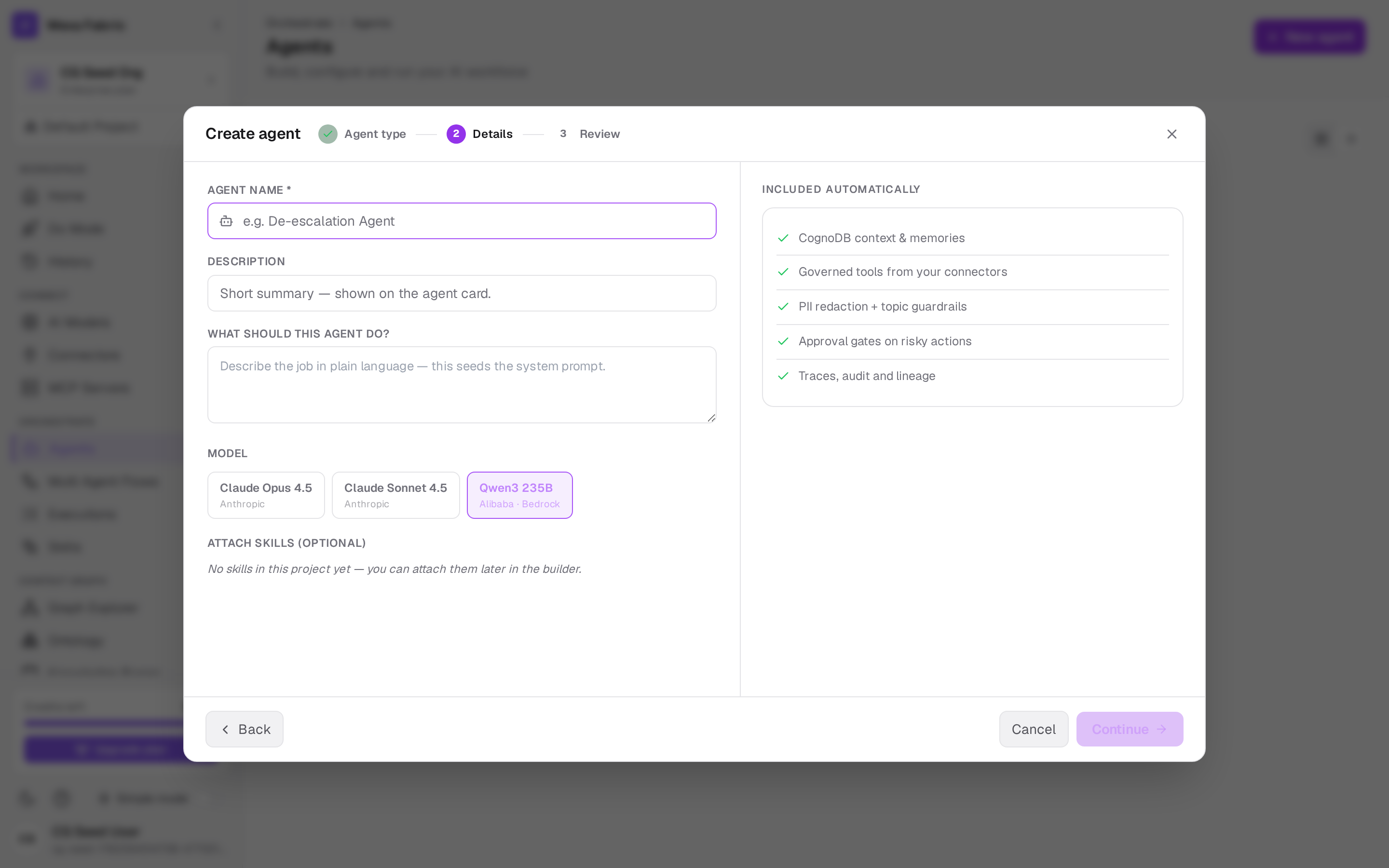
Section titled “Step 2 — Details”Fill in the agent’s configuration:
| Field | Notes |
|---|---|
| Agent name * | Required. |
| Description | A short summary of what it is. |
| What should this agent do? | The agent’s instructions / goal. |
| Model | Choose from the registered model registry (see Connect a model). |
| Attach skills (optional) | Wrap connector actions as the agent’s tools (see Connect a connector). |
Step 3 — Review & create
Section titled “Step 3 — Review & create”Review the configuration and click Create agent. On success you land on the agent’s
detail page (/orchestrate/agents/{id}), ready to run.
The agents list
Section titled “The agents list”Back on Orchestrate → Agents you can search agents, filter by type (All, Conversational, Task, Voice, Proxy, Interop), switch between grid and table views, toggle an agent Active/Inactive, and duplicate or delete from the menu. Each card shows the type, status (Active / Paused / Draft), model, and run count.
Next steps
Section titled “Next steps”- Run an agent & approvals — execute a task and get a result.
- Connect a model · Connect a connector