
Connect a model
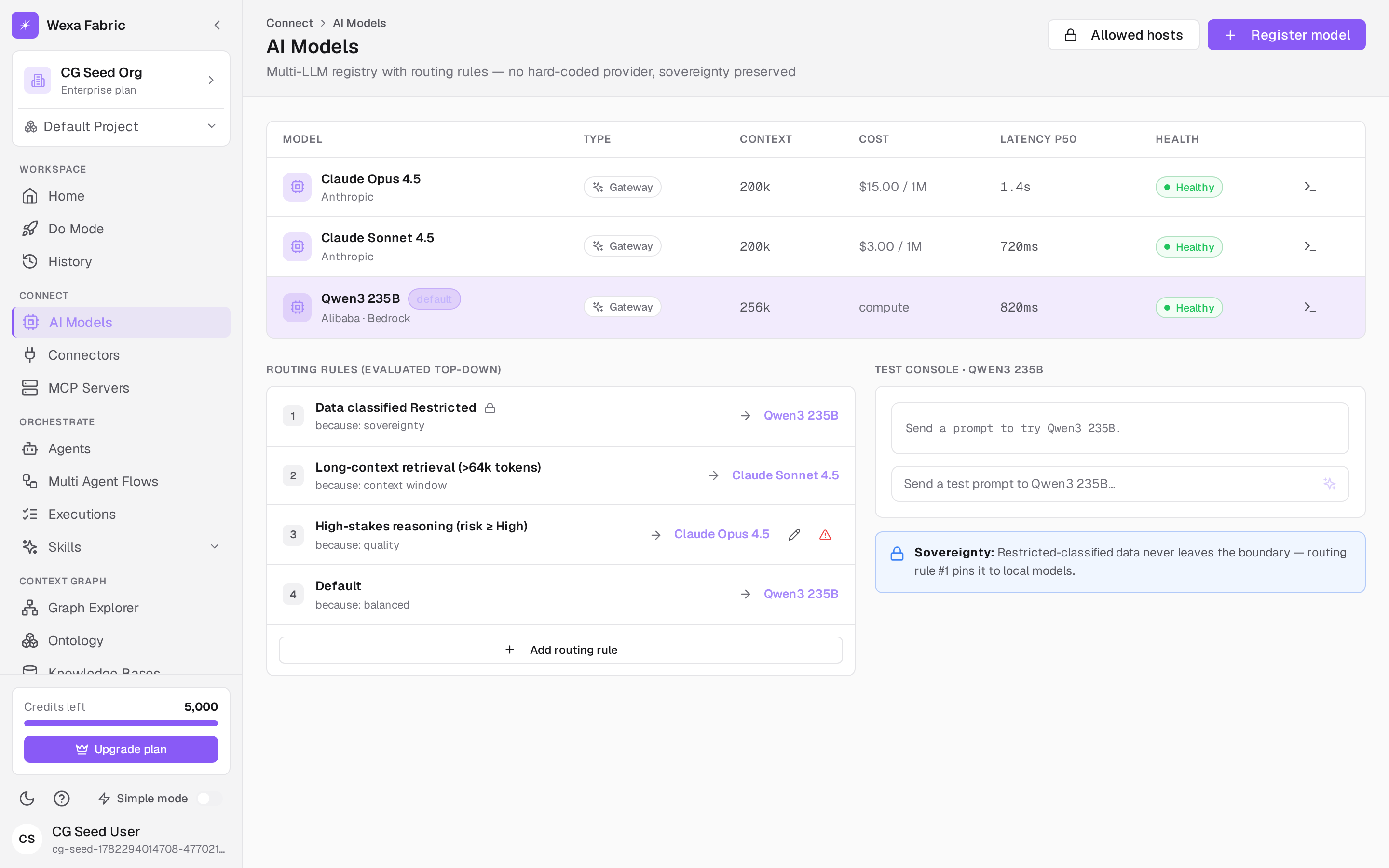
Fabric has no hard-coded model provider. Models are registered in a multi-model registry and routed by data sensitivity, cost, and sovereignty. At least one model must be registered before you can create an agent.
Open Connect → AI Models. The header reads “AI Models — Multi-LLM registry with routing rules — no hard-coded provider, sovereignty preserved.”
Register a model
Section titled “Register a model”-
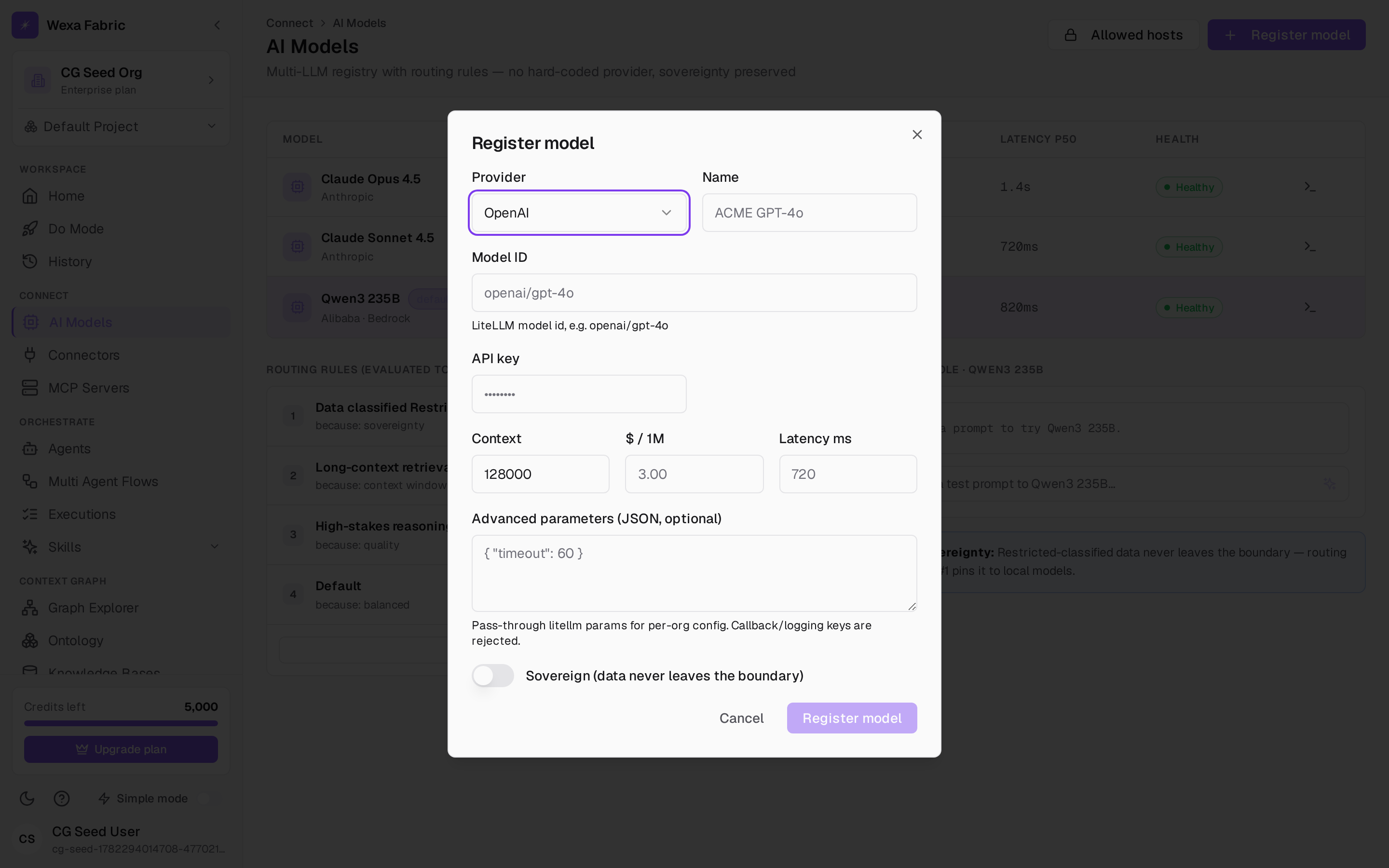
Click Register model.
-
Choose a Provider: OpenAI, Azure OpenAI, GCP Vertex, AWS Bedrock, Anthropic, Self-hosted / Local, or Custom / OpenAI-compatible.
-
Fill in the fields (some are provider-conditional):
Field Notes Name Display name in the registry. Model ID The provider’s model identifier. Endpoint / API version Shown for providers that need them. API key Stored encrypted in your vault. Context / $/1M / Latency ms Attributes used by routing rules. Sovereign (data never leaves the boundary) Check to pin this model for restricted data. -
Click Register model (or Save changes when editing).
Manage models
Section titled “Manage models”The registry table shows Name, Provider, Model ID, Kind, Context, Cost, Latency, Default, and Health. Per row you can Set as default, Edit, or Delete. Use Allowed hosts to constrain which model hosts an organization may use.
Sovereignty routing
Section titled “Sovereignty routing”Routing rules select target and fallback models by data class, context size, risk, or department, under a per-organization allowed-model policy. Models marked Sovereign keep restricted data in-boundary automatically — even when an external model would be more capable.
Related
Section titled “Related”- Create an agent — pick a registered model for an agent.
- Authentication & scopes